
Getting started
VMAT lets the virtual machines on your computer share its GPU for compute work, all at the same time. This page says what it runs on today, how to set it up once you have a build, and what it can't do yet.
Known issues in 0.9.2
We found these after release and are fixing them in 0.9.3.
- A wrong answer is possible after a program is killed. If a program using the GPU in a VM is killed while it is running (Ctrl-C, a crash, out of memory) and another GPU program starts in the same VM right after, the second program can get wrong data. This needs an NVIDIA GPU on the host. Programs that run to the end are not affected. Until 0.9.3, wait a few seconds after a program is killed before you start the next one.
- Slow copies in UEFI VMs on AMD hosts. On Proxmox with an AMD processor, a VM that boots with UEFI (OVMF) still moves data to and from the GPU slowly. VMs that boot with SeaBIOS, the Proxmox default, are not affected.
- Slow copies when not root. On an AMD host, a CUDA program in a VM that is not run as root, or a VM with Secure Boot on, copies slowly.
Found something else? Tell us on the feedback form.
Try it now: VMAT Free for Linux
Up to four VMs sharing your GPU, for as long as you like. Ubuntu 24.04 or later, Debian 13, Fedora 40 or later, or RHEL 10, on x86-64 with KVM and 16 GB of RAM for two VMs of 2 GB, 32 GB for four. CUDA in the VMs needs an NVIDIA GPU.
1.5 MB · sha256
221c1aa3d6243119921186e4d4aa9f7e70ee4e60ae54e266b4cbf524ec2b506f
Install, in the folder you saved it to
sudo apt install ./vmat_0.9.2+202611242236.ga6c8359f5c14_amd64.deb
1.9 MB · sha256
cf8cc5401336e4715999702755e656001fce043288b07d3354901c2f3a62d687
Install, in the folder you saved it to
sudo dnf install ./vmat-0.9.2-1.202611242236.ga6c8359f5c14.x86_64.rpm
Check the file before you install it: sha256sum on it must print the sha256 above. Then run vmat, or pick VMAT in your applications menu.
New in 0.9.2 (November 24, 2026). Two fixes. On AMD processors, CUDA programs in a VM moved data to and from the GPU far too slowly. And vmattest, or any program that uses VMAT's own library, could get a wrong answer if it started within a second after a CUDA program ended in the same VM. If you have 0.9.1, install 0.9.2 over it the same way. A VM you made with 0.9.1 keeps its old CUDA library until you run this in the VM: mount -o ro LABEL=VMATGUEST /mnt && sh /mnt/install.sh; umount /mnt
macOS or Windows? Ask for early access. Proxmox VE is just below.
VMAT Free for Proxmox VE
Up to four of your Proxmox VMs sharing the host's GPU, with no passthrough. Proxmox VE 9 on x86-64. The VMs we tested run Debian 13 and Ubuntu 24.04 and 26.04. CUDA in the VMs needs an NVIDIA GPU with NVIDIA's driver and CUDA libraries on the host; the package's README names them.
221 KB · sha256
19b2861cd0d9d99402471426cf55a5639823a065ff537e2d6746987b2833b294
Install, then give a VM the GPU and start it
apt install ./vmat-proxmox_0.9.2+202611242235.ga6c8359f5c14_amd64.deb
vmat-pve enable 101
127 KB · sha256
25bf6eac1d94b7de434353e9cbf972963a0413742eafbebc01aaab1d7a24391b
Install, then check it
apt install ./vmat-guest_0.9.2+202611242236.ga6c8359f5c14_amd64.deb
vmattest
New in 0.9.2 (November 24, 2026). The same two fixes as above. If you have 0.9.1, install the new host package, run systemctl restart vmatd, stop and start each VM that has the GPU, and install the new guest package in each VM. One case is not fixed yet: on an AMD host, a VM that boots with UEFI (OVMF) still copies slowly. VMs with SeaBIOS, which is Proxmox's default, are fixed.
Use your VM's own number in place of 101; the VM gets the GPU from its next start. vmattest ends with "all ok". vmat-pve status lists the VMs that have the GPU, and vmat-pve disable 101 takes it away again.
What is VMAT?
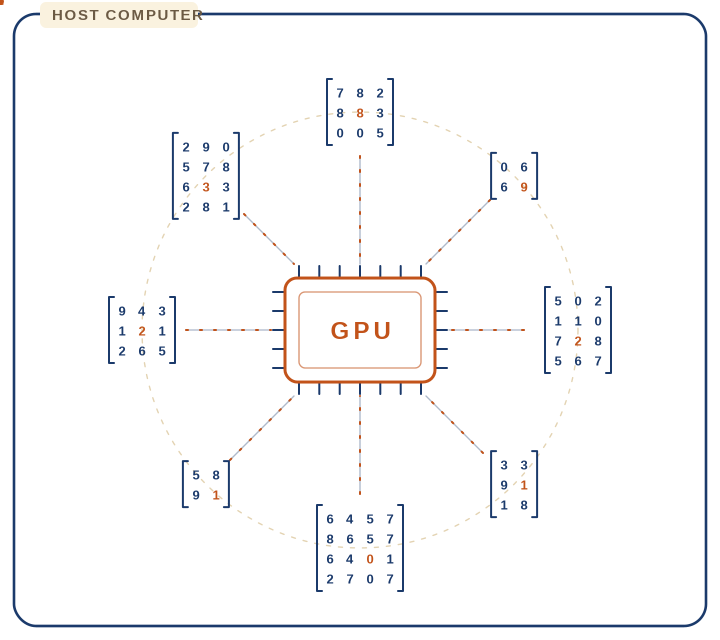
A virtual machine (VM) is a whole computer that runs as a program inside your real one. VMs normally can't use the GPU, the graphics chip that is also very good at maths on big grids of numbers (matrices). The usual fix, called passthrough, hands the whole GPU to one VM, and then no other VM and not even your own computer can use it.
VMAT takes a different route. Each VM gets a VMAT device, and the maths a program in the VM sends to it runs on your computer's GPU. Many VMs can do this at once. VMAT splits the GPU's time between them, and when a VM goes quiet the others get its share. You can also give each VM a fixed share.
VMAT is for compute: matrix maths, machine-learning layers, and on an NVIDIA GPU, CUDA programs such as llama.cpp and PyTorch. Graphics and games through Vulkan work in our lab too, but aren't in the early-access build yet. It does not speed up a VM's own desktop or video.
What it runs on
These are the combinations we have tested ourselves. Anything not in the table may work, but we haven't seen it work yet, and hearing what you have is why the early access form asks.
| Your computer | How VMs run | GPUs we tested | Status |
|---|---|---|---|
| Mac with Apple silicon, macOS 13.3 or later | Apple's Hypervisor framework, built into macOS | Apple M2 Pro | Early-access app |
| Linux on x86-64 (64-bit Intel or AMD processor) | KVM, built into Linux | Intel HD Graphics 630 on Fedora 43; Intel Iris Graphics 6100 on Ubuntu 24.04; NVIDIA RTX 6000 Ada (CUDA) on a rented Ubuntu 22.04 cloud server; NVIDIA GeForce RTX 3090 (CUDA) on a rented cloud server, in an Ubuntu 24.04 container | VMAT Free .deb and .rpm |
| Windows 11 | Windows Hypervisor Platform | Intel HD Graphics 630 | Tested; package not ready yet |
| Proxmox VE 9 | Proxmox's own VMs (KVM) | Intel HD Graphics 630; NVIDIA H100 (CUDA) on a rented cloud server | VMAT Free package |
Tested hardware only. VMAT is early-access software, provided as is and without warranty. It has been tested only on the GPUs and systems in this table. Others may not work, may be slow, or may give wrong answers. Any issues, email [email protected].
Inside the VMs, this release was tested with Debian 13, Ubuntu 24.04 and Ubuntu 26.04 on Proxmox VE, and with Fedora 44 from the .rpm. FreeBSD 15 guests ran on earlier builds and have no guest package in this release. Windows and macOS can't run inside a VMAT VM.
We have not tested AMD GPUs, NVIDIA's GeForce cards on Proxmox VE, Intel Macs or Linux on Arm. On Linux, VMAT needs a GPU driver with Vulkan (the standard way programs talk to GPUs on Linux), which most current Intel, AMD and NVIDIA drivers have.
Each VM needs its own memory. Our test VMs had 4 GB each, and VMAT won't start a VM when the memory it asks for isn't free.
Setting it up
On a Mac
- Open the VMAT Lab disk image (the .dmg file) and drag VMAT Lab into Applications.
- Open it. Early-access builds are not signed with an Apple Developer ID yet, so macOS stops it the first time. Go to System Settings, then Privacy & Security, and press Open Anyway next to VMAT Lab. You only do this once.
- Read and accept the early-access agreement it shows on first start.
- Press "+ Add a VM", pick a system, set its memory and disk, and press "Make and start it".
On Linux
- Unpack the folder:
tar xzf vmat-linux-x86_64-VERSION.tar.gz. - Make sure you can use KVM. On most systems that means being in the
kvmgroup (sudo usermod -aG kvm $USER, then log out and in). - Install the Vulkan loader if you don't have it. On Fedora that is
sudo dnf install vulkan-loader, and on Debian or Ubuntusudo apt install libvulkan1. - Run
./vmatin the folder. It opens VMAT's page in your browser; keep the terminal open. Or run./vmat-windowto get VMAT in a window of its own, which needs WebKitGTK (webkitgtk6.0on Fedora,libwebkitgtk-6.0-4on Debian and Ubuntu). - Optionally run
./add-to-menu.shonce to put VMAT in your applications menu. - On the page, press "+ Add a VM", pick a system, and press "Make and start it".
With VMAT Pro, to see a VM's own screen as well as its text console, install OpenH264, the video library Firefox uses (on Debian, sudo apt install libopenh264-8; on Ubuntu 24.04, libopenh264-7; Fedora has it already). Without it, the console still works.
On Proxmox VE
The Proxmox package goes on the host and the guest package goes in each VM. Nothing else changes: your VMs stay Proxmox's own, made and started the way you already do it.
To watch the live dashboard, run /usr/lib/vmat/vmat-stats --no-open /run/vmat/vmatd.stats on the host. It answers only on the host itself (127.0.0.1, port 7340), so from your own computer forward the port with ssh -L 7340:127.0.0.1:7340 root@your-host and open http://127.0.0.1:7340. /usr/lib/vmat/vmat-stats-cli /run/vmat/vmatd.stats shows the same shares in a terminal.
On Windows
VMAT has run four VMs at once on Windows 11 in our tests, but the Windows package isn't ready for early access yet. Guest packages for Fedora and FreeBSD VMs (.rpm and .pkg) are built and in testing. If you want either, ask for early access and we'll write when they are ready.
Your first VM
Each guest is downloaded from its own project the first time you pick one (300 to 900 MB), checked against the checksum VMAT carries, and kept for the next VM. If a project's server fails, VMAT gets the same file from our copy on download.vmat.dev. The VM logs in by itself, and on its first boot it installs VMAT's guest library, which takes a minute or two. Then type this in its console to give the GPU some work and check its answers against the processor's:
vmattestIt ends with "all ok". Make a second VM the same way and run it there too: VMAT Free runs four VMs at a time, where the computer has the memory for them. A license key allows more (see below).
What you get
- The VMAT app: a page, in its own window or your browser, where you make, start and stop VMs and type in their consoles. It answers only on your own computer.
- VMAT Free, for as long as you like: four VMs at a time, sharing the GPU's time so an idle VM's share goes to the busy ones (or fixed, equal shares if you choose), up to 4 GB of RAM on a desktop (VMs of any size on Proxmox VE, each with a GPU window of up to 2 GB), a text console and the live dashboard that shows each VM's share of the GPU. Its guests are Debian and Ubuntu from the .deb, and Fedora from the .rpm, and CUDA programs get every library VMAT carries, the ones PyTorch needs among them, and 16 GB of GPU memory a VM.
- With a license key (VMAT Pro): 8 VMs at a time, VMs of any size, each VM's own screen, every guest and your own disk images, and CUDA with no memory cap.
- Tools inside each VM:
vmattestto check the GPU's answers, andvmatopto run your own NumPy arrays (.npy files) through the GPU, with matrix multiply, softmax, layer norm, element-wise maths and more.vmatopwith no arguments lists everything it does. - The source of what runs inside the VM: the guest library,
vmattestandvmatop, under the BSD 2-Clause licence, at github.com/b1nc0d3x/gVMAT. You can read it, build it yourself and check what runs in your VMs. - Your own disk images (VMAT Pro): under Manage on the page you can add a qcow2 or raw image of a Linux or FreeBSD system, and VMAT puts its guest library in when the image uses cloud-init.
Known limits
- Compute only. Graphics and games aren't in this build yet.
- Linux and FreeBSD VMs only, and on a Mac only their Arm versions.
- If the GPU's own driver resets, VMAT doesn't recover by itself yet. Quit VMAT and start it again.
- One GPU per VM. Computers with several GPUs are untested.
- llama.cpp needs an NVIDIA GPU to be worth it. On an earlier build it ran at about 93% of host speed on an NVIDIA RTX 6000 Ada, and it is much slower on a small built-in GPU. See the FAQ.
- Without a license key, VMAT is VMAT Free: four VMs at a time of up to 4 GB of RAM (of any size on Proxmox VE), consoles only, Debian and Ubuntu guests from the .deb or Fedora from the .rpm, and CUDA with 16 GB of GPU memory a VM. See the terms.
- This is early software. It can crash, so keep copies of anything in a VM you care about, and don't use it for production work.
How to remove VMAT is in the FAQ. Questions go to the FAQ, and bugs to support.